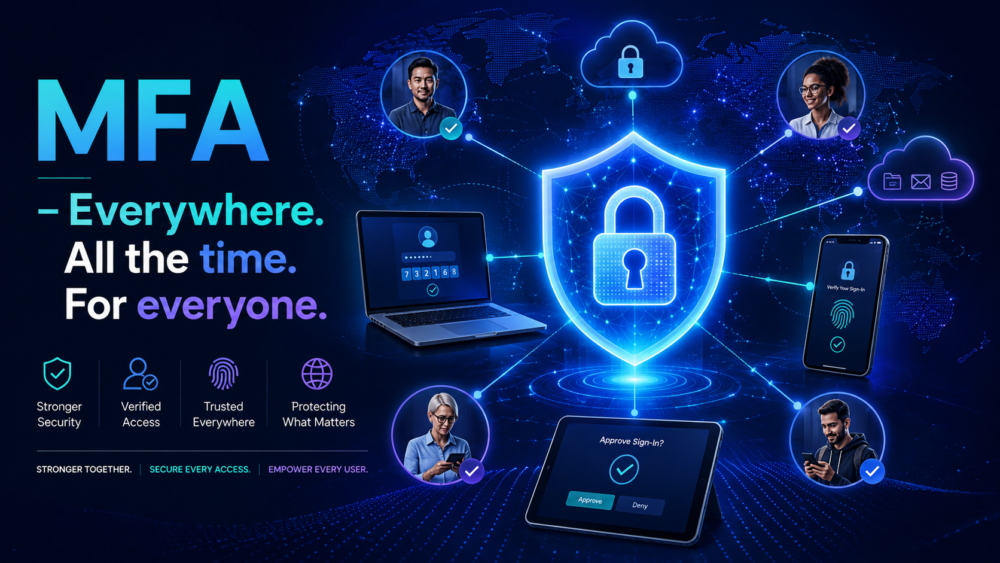
MFA – Everywhere. All the time. For everyone.
This is a hill I will die on.
MFA for everyone, from everywhere, all the time. No excuses, no if, buts and whys.
MFA is your number one frontline defence against malicious actors. Yes, there are other many compensating controls that can be in place such as Firewalls, VPNs, networking controls, Conditional Access policies, Device Compliance policies, Date Loss Prevention policies, Sensitivity Labels, Microsoft Defender policies and many many other security features, but MFA is simply not negotiable.
We often hear from customers that they do not enforce MFA when users and devices are on the company network, when they are in the company office and behind the corporate LAN. The quote things like MFA prompt fatigue and frequent authentication prompts. We have even heard of IT Admins being requested to exclude C-suite level Directors and such like for MFA exclusion because “it annoys them”. The very people who have the most sensitive data and who should be leading by example! tut tut. Shame on them.
Question: Would you not have MFA enabled on your personal banking apps? No of course you wouldn’t. Corporate data should be afforded the exact same protection.
The evolution of 2FA and MFA
MFA has evolved over time. Early two-factor authentication was often described simply as using something you know and something you have; for example, a password plus a one-time code from a phone or token. That was a big improvement over passwords alone, but attackers adapted, especially through phishing, MFA fatigue, token theft and adversary-in-the-middle attacks. Modern MFA has therefore evolved from “any second factor” to strong MFA, where the method is harder to intercept or replay, and then further to phishing-resistant MFA, where the authentication is cryptographically bound to the legitimate service and cannot easily be reused by an attacker. In Microsoft Entra terms, this means moving beyond SMS, voice and basic push approvals toward stronger methods such as number matching, Temporary Access Pass for secure onboarding, certificate-based authentication, FIDO2 security keys, Windows Hello for Business and passkeys. The key shift is that MFA is no longer just about having two factors; it is about whether those factors can withstand modern phishing and token theft attacks.
Phishing resistant MFA does not have to be hard. Windows Hello for Business or FIDO certified keys are your friend here. Especially Windows Hello for Business. If you are a Microsoft 365 Entra customer and you adopt a strategy of an Entra (or Hybrid Entra) joined devices that is Intune enrolled with a Device Compliance policy and Windows Hello for Business – then your users will always be phishing resistant MFA authenticated when they first log in and for subsequent authentications.
Phishing-resistant Multi-Factor Authentication
Phishing resistant MFA has been specifically designed to avoid being tricked by a fake login page. If the passkey is requested by a page other than the one who created the passkey then the authenticator won’t even allow the use of the passkey. Traditional MFA often relies on codes, text messages, or push approvals, and those can sometimes be stolen, relayed, or approved by mistake during a phishing attack. Windows Hello for Business is different because it uses the device itself, together with a PIN or biometric sign-in such as face or fingerprint, to prove the user’s identity. The important point is that the secret is not simply a password or code that the user can type into the wrong website. Instead, authentication is cryptographically tied to the user, the device, and the genuine Microsoft sign-in process. In practical terms, this means a user gets a simpler sign-in experience, but the organisation gets a much stronger form of MFA that is far harder for attackers to phish, steal, or replay.
MFA Prompt Fatigue
A common concern with MFA is user fatigue: “I get prompted to re-authenticate too often, and it’s frustrating.” That concern is understandable, particularly where MFA has been implemented bluntly or where policies force regular reauthentication without considering user context.
Modern Microsoft Entra authentication is much more intelligent than the old model of simply prompting again because a fixed token lifetime has expired. Microsoft now uses a combination of signals such as device state, sign-in risk, location, session context, Conditional Access, and Continuous Access Evaluation to make better decisions about when a user should be challenged again.
In practical terms, if a user is signing in from the same trusted or compliant device, from the same location, and nothing significant has changed, they should not normally be prompted repeatedly unless an organisation has configured a policy to require periodic reauthentication. However, if the context changes, for example the user moves from the office to home, a client site, a hotel, or a coffee shop, then a fresh MFA challenge may be entirely appropriate.
The goal is not to remove MFA prompts entirely. The goal is to prompt users when there is a meaningful reason to do so, while avoiding unnecessary interruption during normal, low-risk working patterns. A well-designed MFA and Conditional Access strategy should improve security without making users feel like they are constantly fighting the sign-in process.
MFA should not feel like a punishment for doing your job!
If users are being prompted constantly, that is usually a sign that the Conditional Access and session control design needs review, not that MFA itself is the problem.
MFA Exclusions
Historically, organisations often excluded service accounts, legacy applications, third-party tools, or automation accounts from MFA because there was no practical alternative. That position is much harder to justify today. With Microsoft Graph, workload identities, managed identities, certificate-backed app registrations, Conditional Access for workload identities, and modern authentication patterns, the need to exclude accounts from MFA should be rare.
Where an exclusion genuinely cannot be avoided, it should be extremely narrow. It should be scoped to the minimum possible user, workload, application, location, or IP range. Tt should have a clear owner, a documented business reason, and a regular review cycle. Sign-in logs should also be monitored so the exclusion does not quietly become a permanent back door.
Privileged accounts, such as Global Administrators and other high-impact admin roles, should NEVER EVER be excluded from MFA. These accounts should ALWAYS use phishing-resistant MFA wherever possible and should be separate dedicated admin accounts. They should be protected through Privileged Identity Management. That is a convesation for another day! But the principle is simple: the more powerful the account, the stronger the authentication must be!!
Should You Exclude the Corporate LAN?
In most cases, no.
The corporate LAN should not be treated as a “magic safe zone”. It may feel like a trusted boundary because it is “inside the office”, but that is not how modern identity security works. Attackers do not need to respect your network diagram.
There are several reasons why excluding the corporate public IP from MFA can be dangerous.
- First, physical access is not perfect security. Bad actors could tailgate into an office (classic social engineering), use an unattended unlocked device, connect to an internal network point, or obtain credentials, again through social engineering. If the office network is excluded from MFA, then a stolen username and password may be enough.
- Second, many organisations have guest Wi-Fi, contractor networks, shared office networks, or poorly separated internal segments that ultimately egress through the same public IP address as the corporate LAN. If that public IP is excluded from MFA, then the “trusted location” may accidentally include far more people and devices than intended.
- Third, phishing does not stop just because a user is in the office. Users can still be tricked into entering credentials into a fake sign-in page, approving prompts, or exposing session tokens. If an attacker can reuse those credentials or tokens from a trusted network path, then the MFA exclusion has weakened the very control that was meant to protect the account.
- Fourth, endpoints can be compromised. If a laptop is infected with malware, the fact that it is sitting on the corporate LAN does not make it trustworthy. In fact, it may make the situation worse, because the device is now operating from inside the very location that has been granted reduced authentication requirements.
The better approach is to treat location as just one signal, not as a reason to bypass MFA entirely. A trusted location can be useful as part of a wider Conditional Access design, but it should not be used as a blanket exemption from strong authentication. Device compliance, risk signals, session controls, application sensitivity, user role, and phishing-resistant MFA should all matter more than simply being on the office network.
A simple rule of thumb is:
A corporate IP address may tell you where a sign-in came from. It does not prove who the user is, whether the device is healthy, or whether the session is safe.
MFA Authentication Methods
Not all MFA methods are equal. You might think that just because you have MFA text alerts set-up that you are fine. You’re not. What if you lose your phone, or move malevolent a bad attacker silent pick pockets you? SMS is also vulnerable to phishing, SS7, and SIM swap attacks.
SS7 is an old global phone-network signalling system that mobile networks use to route calls and text messages between carriers. The problem is that weaknesses in SS7 can allow a capable attacker to redirect or intercept SMS messages in some circumstances. So, if your MFA code is sent by text message, the security depends partly on the phone network delivering that code safely.
SIM swap attack is more common and easier to understand. An attacker tricks or persuades a mobile provider into moving your phone number onto a SIM card or eSIM they control. Once that happens, calls and texts intended for you go to the attacker instead. That means they may be able to receive your SMS MFA codes and reset passwords for services linked to your mobile number.
Likewise having MFA codes sent to an alternate email address such as your consumer email address like Gmail or Hotmail? Then you are reliant on that other email account being equally protected. If that email account is compromised, then so is your work account.
Phone call? Nah, again you lose your phone, or if you are using a landline, can you guarantee you will be the only person to answer it.
| Authentication Method | Preference for Use |
| Passkey (FIDO2) – including Windows Hello for Business | Best |
| Microsoft Authenticator – including Passwordless | Good |
| Certificate-based authentication | Good |
| SMS | Last resort |
| Voice call | Bad |
| Email OTP | Bad |
Emergency Break Glass Accounts
Emergency or “break-glass” accounts are not a reason to abandon strong authentication. Their purpose is to preserve access to the tenant when normal administrative access is unavailable, not to create an unprotected back door.
The preferred approach is to maintain at least two cloud-only emergency access accounts, separate from normal administrator accounts, protected with phishing-resistant authentication such as FIDO2 security keys or certificate-based authentication.
These accounts may need to be excluded from Conditional Access policies that could block sign-in during an outage, such as policies requiring a compliant device, trusted location, or a specific user-based control.
Where an emergency account is excluded from Conditional Access, compensating controls become critical. However, that exclusion should not mean weak security. The account should have a long, random, unique password stored under a controlled two-person process, multiple registered FIDO2 keys stored in separate secure locations, and alerting configured so that any sign-in immediately notifies the security and tenant administration teams. Use of the account should require an incident or emergency record, and every use should be followed by a post-use review to confirm who used it, why it was used, what actions were taken, and whether credentials or access controls need to be reset.
Break-glass does not mean “easy to break into”. It means “available when everything else is broken.”
Resources:
- Recommended FIDO Key: Yubico – YubiKey 5C NFC – Two Factor Authentication USB and NFC Security Key
- Authentication methods supported by Microsoft Entra ID
- From GeekWolf: Passwordless and Passkeys
- From GeekWolf: A look into authentication: Multi Factor Authentication
- From CISA (Cybersecurity & Infrastructure Security Agency): Implementing Phishing-Resistant MFA