How Mailbox sizes and OneDrive data has exploded over the last 10 to 15 years – and the knock – on affect for Microsoft 365 Migrations
Over the past 10 to 15 years, Microsoft 365 has fundamentally reshaped how organisations store, manage, and retain data. What began as modest mailbox quotas and limited personal storage has evolved into enterprise‑scale cloud repositories frequently holding hundreds of gigabytes per user. This unprecedented expansion has materially increased the complexity of tenant‑to‑tenant and cross‑platform migrations, requiring more rigorous planning, orchestration, and technical control than ever before.
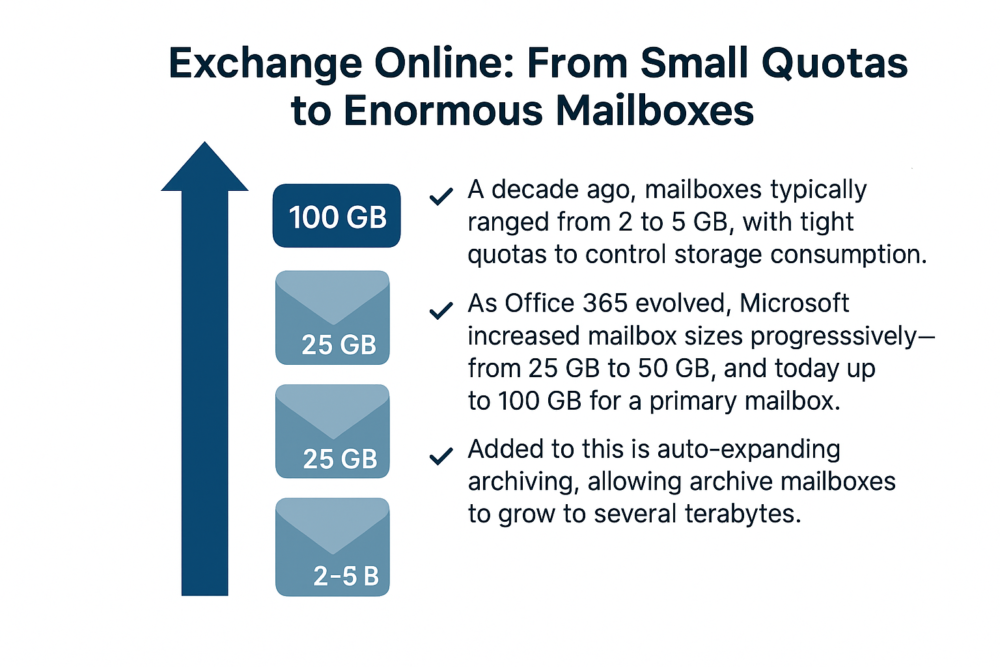
Exchange Online: from small quotas to enormous mailboxes
Fifteen years ago, users were typically limited to 2–5 GB mailboxes due to the cost and constraints of on‑premises storage. As Microsoft 365 evolved, mailbox sizes grew significantly: 25 GB, then 50 GB, and now up to 100 GB for primary mailboxes, with archive mailboxes starting at 100 GB and expanding up to 1.5 TB.
Exchange Online mailbox growth and migration realities
Modern Exchange Online datasets frequently exceed 150 GB per user, with significant implications for migration planning and execution.
• Extended migration cycles — larger mailboxes take considerably longer to pre‑stage and synchronise.
• Higher delta drift risk — the larger the mailbox, the higher the rate of change during cutover windows.
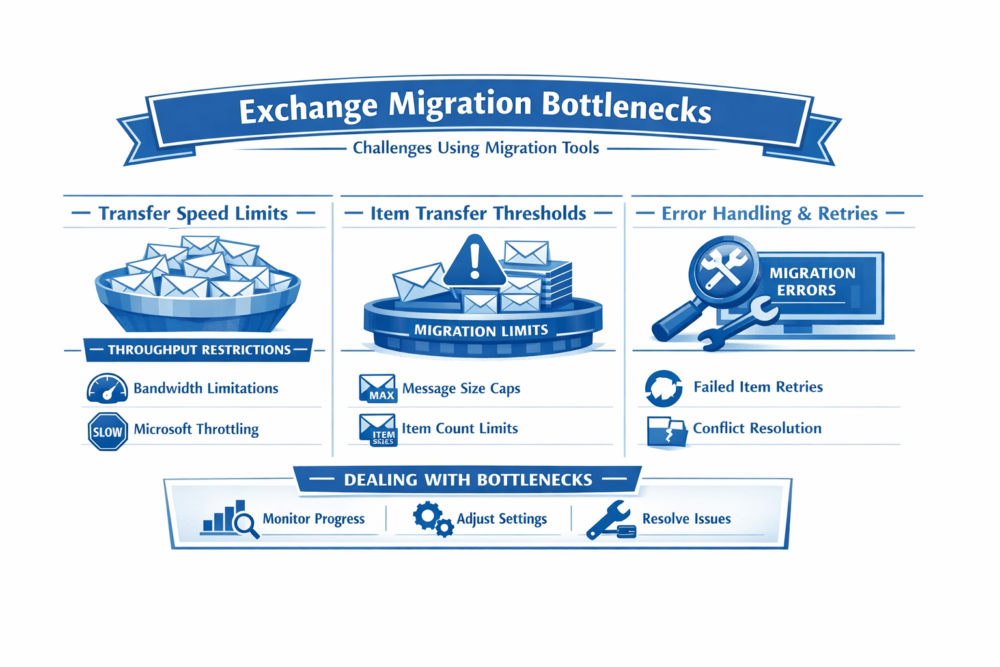
• Increased engineering effort — throttling, batching, and concurrency must be meticulously managed.
• Retention‑related data overhead — Recoverable Items, Purges, and litigation hold content require additional configuration in the target when such data is required for migration.
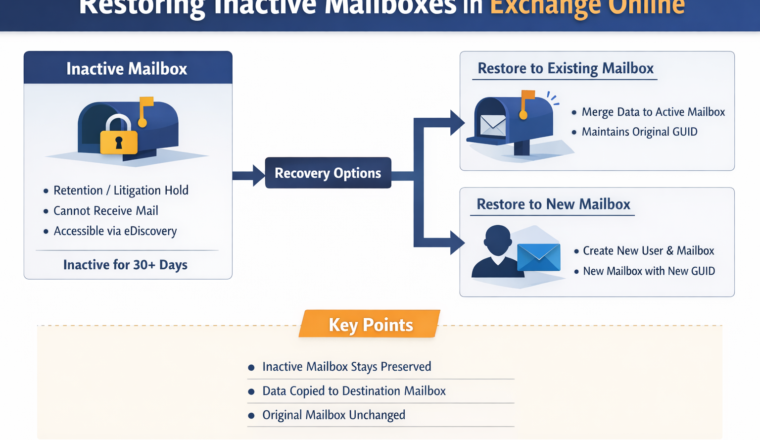
• Inactive mailbox migration — long‑term retention policies create additional large datasets requiring restoration and migration.
Migrating large mailboxes in the source typically over 50 GB also require a licensed target mailbox which is not usually a concern for active users but does come as a surprise of leaver data.
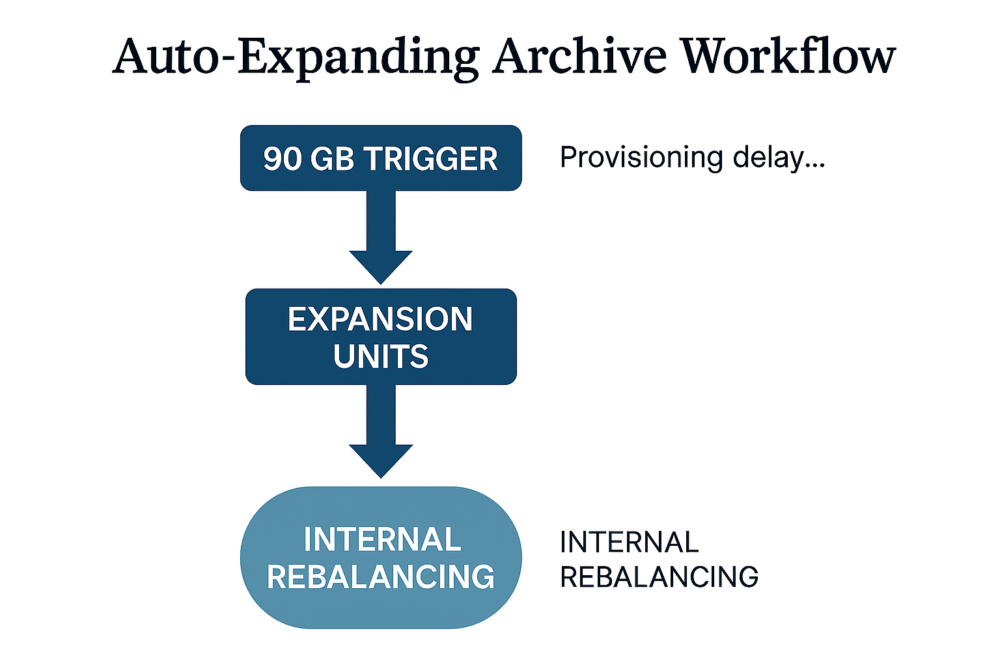
Auto‑expanding archives
Auto‑expanding archiving provides flexible storage but introduces migration challenges due to internal behaviours that slow ingestion.
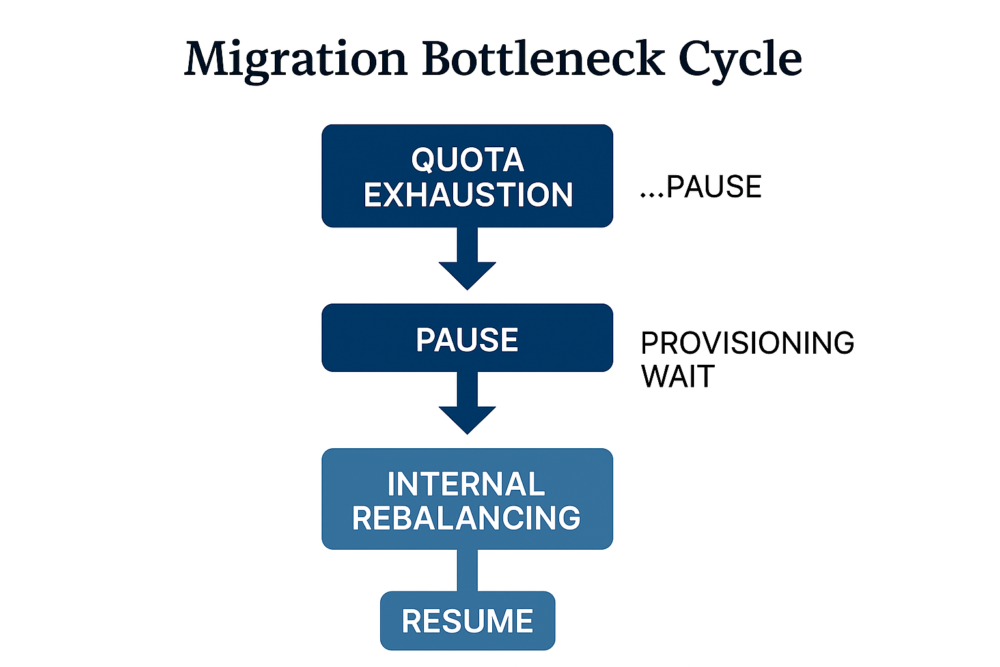
Migration bottlenecks in practice
Large or heavily expanded archive mailboxes encounter a recurring pattern of migration stall events.
Real‑world migration throughput expectations
Typical mailbox throughput: 250 MB/hour (~17 days), 750 MB/hour (~5.5 days), 1.25 GB/hour (~3 days). These estimates assume uninterrupted ingestion, which is rarely attainable when auto‑expanding archives trigger delays.
Licensing constraints for large mailboxes
In Microsoft 365, shared mailboxes do not require a licence only while they remain under 50 GB. Once a shared mailbox exceeds this limit, it cannot continue to grow or receive new data unless it is assigned an appropriate licence (Exchange Online Plan 2, Microsoft 365 E3, or E5).
From a migration perspective, this introduces several challenges:
- Pre‑migration growth is often underestimated: legacy shared mailboxes frequently exceed 50 GB due to years of unmanaged retention, automated alerts, journal copies, and historical content.
- Temporary licensing becomes a dependency: to migrate or ingest historical data, these mailboxes must be licensed at the destination tenant, sometimes only for the duration of migration.
- Hidden cost implications: large environments with numerous oversized shared mailboxes can incur unexpected licensing costs if not identified early.
- Mailbox role ambiguity: many “shared” mailboxes are effectively used as functional user mailboxes (e.g. Finance, HR, Support), requiring reconsideration of whether a shared mailbox model is still appropriate post‑migration.
Without early discovery and classification, migrations can stall when destination limits are reached, forcing last‑minute licence procurement or data restructuring—both of which introduce risk and delay.
OneDrive for Business: the personal data explosion
OneDrive for Business has quietly become one of the largest and most complex data sources in modern Microsoft 365 tenants, often exceeding mailbox sizes by a wide margin.
Key drivers of OneDrive data growth include:
- Years of accumulated documents (work-in-progress, archives, drafts, duplicates)
- Large media files (video recordings, design assets, training material)
- PSTs and exported mailbox archives stored for convenience rather than compliance
- Application and diagnostic logs synchronised from local machines
- Extensive version histories, where multiple revisions of large files dramatically inflate storage
- Sync sprawl, where the same data exists across multiple devices and sync paths
From a migration standpoint, OneDrive presents unique challenges:
- User perception vs reality: users often underestimate their OneDrive footprint, assuming it is “small” because it feels personal.
- Concurrency and throttling: migrating thousands of individual OneDrives simultaneously puts pressure on APIs, bandwidth, and migration tooling.
- Ownership reassignment: departed users’ OneDrives often require reassignment to managers or teams, complicating identity mapping.
- Data relevance: not all OneDrive content is business‑critical, but determining what to exclude requires governance decisions upfront.
Successful migrations now require detailed OneDrive profiling, clearly defined inclusion rules, and proactive communication with users about what will (and will not) be moved.
SharePoint & Teams: collaboration data at scale
SharePoint Online and Microsoft Teams introduce collaboration‑centric complexity that goes far beyond simple file transfer.
Each Microsoft Team typically includes:
- A SharePoint site collection
- Multiple document libraries (including private and shared channels which are housed in dedicated site collections)
- Planner plans and tasks
- OneNote notebooks
- Lists and metadata‑rich content
- Channel chats and messages
- Meeting recordings (often stored separately in OneDrive or SharePoint)
Migration challenges in this space include:
- Permission inheritance complexity: custom SharePoint permissions, broken inheritance, and external sharing links must be accurately mapped or redesigned.
- Private and shared channels: these create separate SharePoint sites, increasing object count and dependency chains.
- Meeting recordings and Stream replacements: recordings may reside in different workloads depending on when they were created and organisational policies at the time.
- Cross‑workload links: Teams often reference content across SharePoint, OneDrive, Planner, and Power BI. Breaking a single link can affect productivity.
- Information architecture drift: years of organic growth often result in inconsistent site structures, naming conventions, and sprawl.
Rather than “lift and shift,” many organisations now use migration as an opportunity to rationalise Teams and SharePoint, but this requires early stakeholder engagement and clear governance decisions.
Conclusion
Data volumes across Microsoft 365 have expanded dramatically and unevenly across workloads. What were once mailbox‑centric migrations have now become multi‑terabyte, multi‑workload transformation programmes.
Modern Microsoft 365 migrations demand:
- Detailed pre‑migration discovery across Exchange, OneDrive, SharePoint, and Teams
- Accurate identity and permission mapping, including shared, orphaned, and service accounts
- Strategic sequencing, particularly when data has cross‑workload dependencies
- Licensing validation to avoid capacity blocks and unplanned cost
- Realistic timelines that reflect API throttling, data volume, refactoring decisions, and business readiness, not just theoretical transfer speeds
Organisations that succeed are those that treat migration as a data and collaboration redesign exercise, not simply a technical move. Without this mindset, timelines slip, costs rise, and user confidence is damaged.